
How to Play Playrooms (2026): Beginner's Guide
How to play Playrooms on PC in 2026. Learn the controls, the ball-to-money loop, your first upgrades and the mistakes that waste your first shift.
Quick answer: Pick up balls with your hands or scoop, carry them to the pit and dump them in. Delivered balls pay money; money buys keys, capacity and tools. Fill the pit to open the next area. Use E to interact, 1 and 2 to switch tools and F for the flashlight, and do not buy the robot before you have capacity.
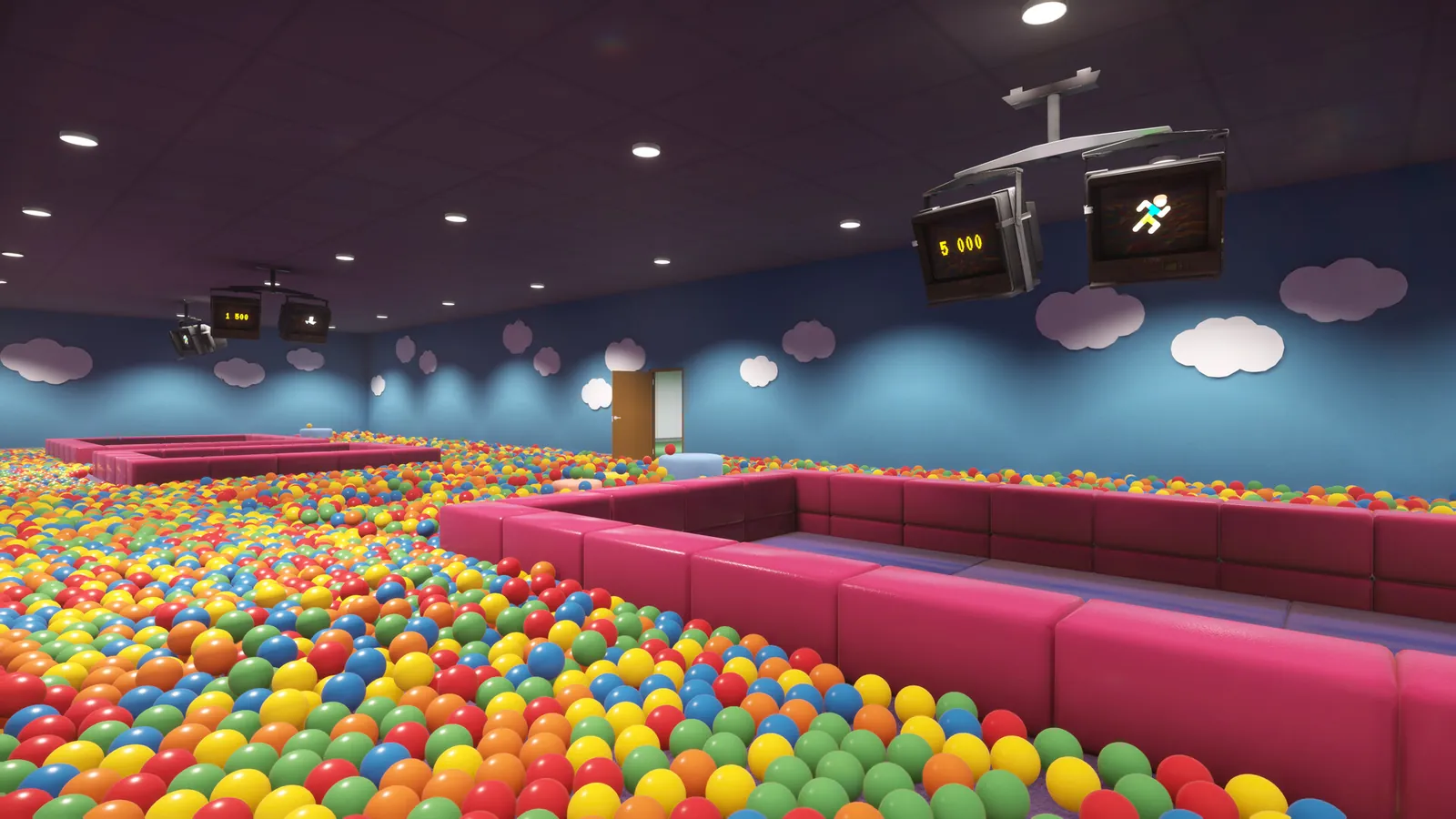
The first five minutes
You start in the Playroom with empty hands and a pit in front of you. The game does not lock you into a tutorial, so the first minute is yours to experiment. Three actions cover almost everything:
- Pick up: walk into a ball and interact, or use the scoop to gather several at once.
- Carry: your hands and scoop have a capacity limit. The limit is the stat you will upgrade most.
- Deliver: stand at the pit and interact to dump everything you are holding.
The first delivery is intentionally small. Watch the counter and the payout; that number is the whole economy. Every ball is worth the same, so the only way to earn faster is to carry more per trip or shorten the trip.
Controls on PC and controller
The default keyboard layout uses WASD to move, the mouse to look, E to interact with doors, pits, dispensers and equipment, 1 and 2 to switch tools, and F for the flashlight. Sprint and crouch are bound on the same page. The exact bindings are visible in Settings, and the October 13 patch added on-screen prompts for sprint and crouch, so you do not have to guess.
Controller support is native. If the controller does not respond, the usual fix is to open the game's Steam properties and disable Steam Input, then relaunch with the controller connected. On a Steam Deck, choose the "Gamepad with Camera Controls" layout.
Set interact to a button you can hold while moving. You will press it hundreds of times per room, and a comfortable bind matters more than any graphics setting.
The economy: balls are money
Playrooms does not have a separate coin pickup. The balls you deliver are the currency, and the pit is the bank. That has two consequences that new players miss.
First, dropping balls on the floor is not a loss, but leaving them in a room when you move on is. The game does not vacuum the room for you. Second, the payout is per delivery, not per ball held. Carrying a full load to the pit and dumping it once is always better than dribbling balls in as you find them.
The pit also changes color based on the balls you feed it. That is cosmetic for most of the run, but it matters for one achievement: filling a pit with a single color. The ball types page→ explains how the color system works and why it is not a damage type.
Your first purchases
The first key is mandatory. After that, the shop offers hand upgrades, tools and quality-of-life items. New players tend to buy the most visible item, which is usually the robot vacuum. Do not. The robot is an automation tool for large rooms; in the first two areas it saves less time than a capacity upgrade.
A safer order is:
- Key to the next area. Progress first.
- Carry capacity. Every point of capacity removes walks.
- Flashlight. Buy it before the first dark section, not after you get lost.
- Movement or handling upgrade. Pick the one that matches the room you are about to enter.
- Robot vacuum. Useful in the School and Hotel, underwhelming in the Playroom.
The upgrades guide→ breaks down the categories and the situations where each one pays for itself.
How to clear a room without wasting time
A room is not finished when the floor looks clean. The game counts balls, and the last few are always in the same kinds of places: under furniture, behind doors, against the pit lip and above eye level.
Use a three-pass method:
- Pass one, perimeter: walk the walls and pick up everything in the open. This teaches you the room's shape.
- Pass two, furniture: check under and behind every object. Chairs, desks and beds hide balls that the floor lighting flattens out.
- Pass three, vertical: look up. Light fixtures, ledges, tops of lockers and door frames hold balls that you will never see while looking at the floor.
Three passes sound slower than one sweep. In practice they are faster, because you stop re-walking the same floor and you stop leaving a 2% tail that forces a fourth trip.
When to leave a room
Leave when the pit is full and the exit is open, not when the floor is empty. The game pays you for delivered balls, and the remaining balls in a room are worth the same as the ones in the next room. If you are short on time, finish the pit and move on.
There is one exception: achievements. Some achievements are room-specific and require a full clear, a hidden item or a particular action. If you are chasing 100%, check the achievements guide→ before you leave, because backtracking is limited.
Dark sections and the fear setting
Playrooms is a light horror game, not a survival horror game. The dark sections are scripted around the room you are in, and the worst outcome is usually a scare and a lost sense of direction, not death. The store describes the difficulty choice as "no fear at all" versus "no second chances", which is a fair summary of the two ends of the setting.
If you want the cleaning loop without the scares, turn the fear settings down. Achievements remain obtainable. The Cozy Mode guide→ explains what changes and what does not.
Sprinting is louder, and sound is the main cue the game gives you before a scare or a moving object. Walk, listen, and keep the flashlight pointed at the floor in front of you.
Saving, quitting and coming back
The game saves per shift. Quitting in the middle of a room does not reset the pit, but it can reset objects that were mid-animation. The common example is a locker burst in the School: if you quit while the balls are still settling, the room can reload with fewer balls than intended.
If a room looks wrong after a reload, return to the main menu and continue. That reloads the room state and usually restores the missing objects. The stuck balls page→ lists the fixes that work for wall, ceiling and furniture balls.
What to do after the first room
The Playroom teaches the loop; the Poolroom teaches route planning. Before you enter it, make sure you have the key, at least one capacity upgrade and the flashlight. The walkthrough→ gives the full room order, and the tips page→ covers the habits that save the most time across all eight pits.
About Playrooms (2026)
Playrooms is a single-player casual simulation game with horror elements, developed and published by Two Pixels UG. It released on November 4, 2026 for Windows PC via Steam at $6.99, with a launch discount. The game supports controllers, has 30 achievements and is built around eight ball-pit areas.
For live details, see the Steam page ↗, the achievement stats ↗ and the news archive ↗.
Official source: Playrooms on Steam ↗
FAQ
How do you pick up balls in Playrooms? Walk into a ball and use the interact key, or equip the scoop to gather several at once. Your carry capacity limits how many you can hold.
How do you make money in Playrooms? Deliver balls to the pit. Each delivered ball pays out, and a full pit completes the room objective.
Is there a sprint button? Yes. Sprint and crouch are bound in Settings, and the game added on-screen prompts for both in an October 2026 patch.
Can you play Playrooms with a controller? Yes. Native controller support is included. If input fails, disable Steam Input for the game and relaunch.
Does difficulty affect achievements? The fear settings can be lowered without disabling achievements, including the hardcore achievement, which is tied to a specific run condition rather than the fear level.